Posts

Adobe Acrobat DC App-V & Windows 10 Issue - Resolved

Later have been seeing issues when removing earlier versions of Adobe Acrobat DC and installing newer version in windows 10 1703/1709 which has been explained very well in the below blog by Ryan Ververs-Bijkerk https://www.logitblog.com/app-v-application-was-unable-to-start-correctly-on-windows-10/ The solution was to restart the machine and try again earlier. Now this is fixed with the release of new updates for windows 10. 1703 fixed in 2018.10 - KB4462939 1709 fixed in 2018.10 - KB4462932 1803 fixed in 2018.10 - KB4462933 Thanks to Tim Mangan for sharing this update information.

MS Ignite 2018: MSIX – Accelerating Windows 10 and app deployment - BRK3220

Image

MS Ignite 2018 : MSIX inside and out - BRK2467

Image

Build your first MSIX Package using DAC

Microsoft is building up a MSIX Packaging Tool which we are expecting to be released pretty soon. Till then how to create a MSIX package? It's very easy. If you have used Desktop App Converter tool to create .appx package earlier then you are ready to create MSIX. The steps to create MSIX are pretty same like how we create .appx using DAC. You can follow the below link to create your first MSIX package. Project Centennial - First hands on Converting desktop apps to Universal Windows Platform (UWP) There are some changes that needs to be followed regarding to requirements in the above link. Instead of writing those changes I have decided to share a link where it has been already well explained by Pascal Berger. https://blog.basevision.ch/2018/07/how-to-create-an-msix-right-now-in-the-insider-preview-a-step-by-step-tutorial/ So why wait? Try out your first MSIX creation.

Sequencing Google Chrome using App-V 5.1

Image
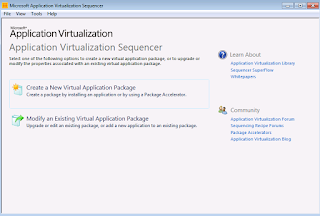
1)  Launch the Microsoft Application Virtualization Sequencer from Start->Programs 2)  Select the "Standard application" type in the Type of Application to be Virtualized 3)  Select "Perform a custom installation" in the select installer screen Provide the virtual application name as Google Chrome and click next. 4)  Before the application is installed, make sure that the below registy entries are placed to disable the updates. [HKEY_LOCAL_MACHINE\SOFTWARE\Policies\Google\Update] "UpdateDefault=dword:00000000 "AutoUpdateCheckPeriodMinutes"=dword:0000000 5)  Start the installation during monitoring phase.Install the package using source "GoogleChromeStandaloneEnterprise.msi" After installation, perform the following steps. - Delete the services : Google Update service (gupdate, gupdatem) using the below command in CMD ; SC DELETE gupdate SC DELETE gupdatem - Remove the shortcut from desktop - Remove the folder Update from Program Files (x8...

MSIX - The future universal format

MSBuild 2018 has officially announced  the new msix format,  and so now it's free to share information publically to all. Since there are already quite few blogs and video's shared in msbuild,  I will  be sharing those links below which will be quite very useful. MSIX - Inside and Out Accelerating Windows 10 enterprise app deployment through MSIX MSIX - pptx MSIX First Look - Priya Saxena Is MSIX the future for App-V - Tim Mangan A blog by Kevin Kaminski MSIX Intro A closer look at MSIX MSIX But what about App-V? Steps to create MSIX - Pascal Berger To Join MSIX Tech Community click here

Decrypting how Microsoft Teams new MSI works

Image
Microsoft has released a windows Installer MSI for Microsoft Teams for deployment through SCCM.You can download it here As per Microsoft Statement: "The Teams MSI will place an installer in Program Files. Whenever a user signs into a new Windows User Profile, the installer will be launched and a copy of Teams application will be installed in that user's appdata folder. If a user already has the Teams app installed in the appdata folder, the MSI installer will skip the process for that user." NOTE: Don't change the install location as it will break the process. In this blog, I will explain how this happens by opening MSI using Installshield. 1. To Install Microsoft Teams, it first requires .net 4.5 or later to be installed in the machine. This check happens using Launch condition which also does a system search for .net registry to be present in the machine. 2. The MSI has only one file which is Teams.exe that gets installed to [ProgramFilesFolder]Teams Installer locat...

Exploring Advanced Installer Express free edition to convert legacy apps to UWP

Image
Earlier back in 2016 when Microsoft released Project centennail, I have blogged about it which you can find here To know more about Desktop bridge and UWP conversion have a look here Recently Advanced Installer has released a free express edition which is a GUI based tool to simplify the process of converting legacy exe/msi to appx format.They have also stated to support the new MSIX format in their upcoming release. You can download the free  Advanced Installer express version here . Pre-Req: Install windows sdk from here  After downloading install the windows sdk first and then install  the Advanced Installer express edition in a clean virtual machine.After Installing you will be prompted to register using your mail ID to get the free license .After validating click on new and select the Convert Desktop App as shown below and click next. Provide the setup path (msi/exe) and add any parameters if you wish to add.In this example I have used google chrome msi package to...

Solution: TortoiseSVN Background contextmenu not visible after publishing

Image
After publishing the App-V sequenced TortoiseSVN, all the context menu shortcuts are visible and it works fine. Only the background context menu option is not visible. In this blog, I will demonstrate and provide a solution for it. First download the TortoiseSVN software from the below link. https://tortoisesvn.net/downloads.html Download the Latest windows ADK so that we can use the latest App-V Sequencer from the below link. https://docs.microsoft.com/en-us/windows-hardware/get-started/adk-install Sequence the TortoiseSVN application using default steps. Even if you use PVAD when sequencing, we can see the same issue that the background context menu is not visible after publishing. After Publishing the sequenced package, we can see that when we right click file\folder\drive the context menu option is visible as App-V will install those respective registry entries in the local machine and they will be used by the explorer due to dynamic virtualization concept. FILE: FOLD...

Adobe Illustrator error 16 - Fix

Image
When launching sequenced Adobe illustrator shortcut we see the below issue in the App-V client machine. Reason: This is due to UAC and the application requires to be run as administrator. Solution: To test manually Click Start > All Programs. Right click on the Adobe Illustrator shortcut  and click Run As Administrator. The shortcut will launch without any error. So how to resolve this in the App-V 5.x package? We need to suppress the UAC prompt when run as administrator using RunAsInvoker or other shims. Check my another blog for more information to solve this issue  here

HotFix Released: App-V Applications worked in win 10 1607 fails in win 10 1703

Image
Many packages that completely worked in inbox App-V in windows 10 1607 failed after upgrading to windows 10 1703. The reason for failure is due to Microsoft changed the way to load registries in containers CREG instead of usual virtual registry VREG. There was a temporary fix which was available and Roy Essers posted it in twitter a long back. It was adding the below registry entry manually in the 1703/1709 machines. [ HKEY_LOCAL_MACHINE \SOFTWARE\Microsoft\AppV\Client\Compatibility] "RegistryCompatibilityMode" = dword : 00000001 This issue is fixed in windows 10 1703 with the new hotfix released. https://support.microsoft.com/en-us/help/4077528 We can clearly see that they have made use of the temporary fix to change the registry virtualization to use the VREG instead of the modern CREG that was mentioned earlier to permanently fix this issue. Apart from the registry fix, this update also fixes many other App-V issues which can bee seen below. This update will be downloaded ...

Solution for Error 17002 when uninstalling Office 365 (2016) when apps like word, excel, outlook are open

Image
When uninstalling office 365 silently, it is failing only when any applications like word, excel are kept open. This is because during uninstall, office checks for any running applications and prompts the user to close it which is not happening in silent uninstall. When uninstalling in UI mode, it prompts to close when any office apps are open. Since in silent mode office is not able to do this, it fails with an error code 17002. You can check in the log file for the error code 17002. To overcome this just add the property FORCEAPPSHUTDOWN with Value="True" in the uninstall config.xml file. This property will force shutdown any running office apps. Example: <Configuration>  <Remove>  <Product ID="O365ProPlusRetail" >  <Language ID="en-us" />   </Product>  </Remove> <Property Name="FORCEAPPSHUTDOWN" Value="TRUE" /> <Display Level="None"/> <Logging Path="c:\temp\" Name...

App-V: Virtual Packages works in win 10 1607 but fails in windows 10 1703/1709

Image
Many packages that completely worked in inbox App-V in windows 10 1607 failed after upgrading to windows 10 1703 and 1709 versions. The reason for failure is due to Microsoft changed the way to load registries in containers CREG instead of usual virtual registry VREG. To know about this change do have a look at the below articles from Tim Mangan. http://www.tmurgent.com/TmBlog/?p=2692 http://www.tmurgent.com/TmBlog/?p=2733 There was a temporary fix which was available and Roy Essers posted it in twitter a long back. It was adding the below registry entry manually in the 1703/1709 machines. [ HKEY_LOCAL_MACHINE \SOFTWARE\Microsoft\AppV\Client\Compatibility] "RegistryCompatibilityMode" = dword : 00000001 Microsoft has released an update earlier today which is supposed to fix this registry mapping issue. https://support.microsoft.com/en-us/help/4074588 We can clearly see that they have made use of the temporary fix to change the registry virtualization to use the VREG instead of...