Posts

Sequencing VLC Media Player using App-V 5.1
Image
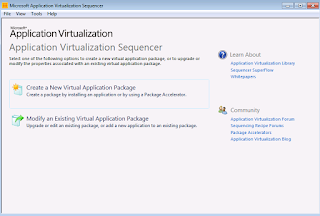
1)  Launch the Microsoft Application Virtualization Sequencer from Start-> All Programs 2)  Select the create package (default) option. 3) Select the "Standard application" type in the type of application to be sequenced.  4)  Select "Perform a custom installation" in the select installer screen and click next. 5) Provide the virtual application name as VLC Media Player and click next. 6) Install the VLC Media player application now. Uncheck Desktop shortcut option. Uncheck Run Vlc Media Player option and click finish. 7) Once Installation is completed, Select "I am finished Installing" and click next.                                     8) In the configure Phase, launch the required shortcuts and perform custom changes if needed and remove unwanted shortcuts. Here we have removed all unwanted shortcuts other than the main VLC Media Player shortcut. Launched it and unch...

App-V 5.0/App-V 5.1 Applications not launching when selected "RunAs" option

Question: We have an environment where user has separate login account and for testing purpose there is an administrator account to which we as an administrator login to the published applications for troubleshooting. With App-V 5.0, we are unable to launch by shift+Right clicking on the shortcut and selecting "RunAs" option to troubleshoot. This worked exactly as desired in App-V 4.6 The Applications are published through SCCM 2012 for the users. We are not seeing any error when launching the App-V 5.0 shortcuts using "RunAs". When normally double clicking on the shortcut, it launches fine. What might be the reason? Reason: The reason is, the App-V 5.0/5.1 application has been published for the user through SCCM 2012. When published for a particular user collection, the application will work only for that users. It won't work for other users. This is the reason why "Run as different user" failed to launch the application. Solution: If you want your...

Internet Explorer getting crashed after upgrading App-V 5.0 SP2 or SP3 to App-V 5.1

Image
After upgrading from App-V 5.0 Sp2 or App-V SP3 to App-V 5.1 , Internet explorer starts crashing for no reason. The Application event log shows two possible errors: 1.Faulting module : EMET.DLL 2.Faulting module : NTDLL.DLL This is a known bug with App-V 5.1. Some possible workaround is to either revert back to 5.0 or follow the below steps. Solution: Remove the following lines in the registry and IE 10 / IE 11 will stop crashing. HKEY_LOCAL_MACHINE / SOFTWARE / Microsoft / AppV / Client /Virtualization ProcessesUSingVirtualComponents Data: %ProgramFiles%\Internet Explorer\iexplorer.exe %ProgramFiles(x86)%\Internet Explorer\iexplorer.exe You can also try removing the App-V 5.0 earlier versions manually and then install App-V 5.1 instead of upgrading to avoid this issue. Though the above said step is just a workaround, it is not a recommended way to bypass this issue. We need to wait for Microsoft to come up with possible fix or service pack soon. Technet post - https://social.technet.m...

Management console generates “Could not load file or assembly Newtonsoft.Json” error - App-V 5.1 Support Tip

After upgrading the App-V 5.0 Service Pack 1 Database and Management Server, the following error is generated when loading the App-V management console: Could not load file or assembly 'Newtonsoft.Json, Version=4.5.0.0, Culture=neutral, PublicKeyToken=30ad4fe6b2a6aeed' or one of its dependencies. The located assembly's manifest definition does not match the assembly reference. (Exception from HRESULT: 0x80131040) To know more about resolving this issue click on the below official Microsoft TechNet link: http://blogs.technet.com/b/appv/archive/2015/10/22/app-v-5-1-support-tip-management-console-generates-could-not-load-file-or-assembly-newtonsoft-json-error.aspx

App-V Support Tip: Publishing Server URL is unreachable after upgrade to 5.1

After upgrading App-V 5.0 Management and Publishing servers to App-V 5.1, you may encounter a problem where publishing no longer function properly and the following issues appear: - Accessing the Publishing URL in Internet Explorer from directly on the Publishing Server (e.g.http://localhost:82, where 82 is the port assigned to the Publishing Server Service) generates the following error message: The website cannot display the page - The event below is seen in Event Viewer\Applications and Servers logs\App-V\Server-Publishing-Private\Debug: Failed to pre-load publishing metadata.  Message: Object reference not set to an instance of an object.  Details:   Stack Trace:     at Microsoft.AppV.Server.Publishing.PublishingMetadataSerializer.PackageSerializer.Load(XElement pkgElement, PublishingMetadata& data)     at Microsoft.AppV.Server.Publishing.PublishingMetadataSerializer.RootSerializer.Load(XmlReader reader)     at Microsof...

Upgrade your App-V Management Server to 5.1

Check out  Simon Dettling  post about how to upgrade your App-V management server to 5.1 in easy steps. http://msitproblog.com/2015/10/18/upgrade-your-app-v-management-server-to-5-1/ Also check Microsoft Technet link. http://blogs.technet.com/b/appv/archive/2015/09/23/a-simplified-microsoft-app-v-5-1-management-server-upgrade-procedure.aspx

Can we sequence application entries installing to both C:\ Drive and E:\ Drive - App-V 5.0

Image
Question :   Consider application entries are going to both C:\ Drive and E:\ Drive .. In this case whether we can go ahead with sequencing this application?  as these both locations entries will be reflecting in VFS. Answer : App-V 5.0 won't support multiple drive entries. Below you can find an example. start the sequencing steps using App-V sequencer 5.0 SP3. 1. Select create a new virtual package. 2. Select create package. 3. Select standard package. 4. Select custom installation. 5. Enter the virtual package name as test. Click next. In the monitoring phase, Go to c:\programfiles (x86) , create a folder named test1 and add a file. eg: 1.jpg. Go to E:\ drive, create a folder named Test2 and place a text file test2.txt . 6. Click "I am finished monitoring"                                       7.Select continue to modify the package option and click next. 8. In the package ed...